Moonhush is our iOS app that writes an illustrated, narrated bedtime story with the child as its hero. In October 2026 it is in App Store review and not yet released. The app is built with Expo SDK 57 and React Native 0.86. Every model call is made on the server, by Supabase Edge Functions, and all of them go to OpenAI's API. For an eight-page story, one tap sets off twenty of those calls: one writes the story, one checks it, eight draw the pictures and ten record the narration.
On 7 October 2026 the first story written through the live function was complete after 24 seconds except for one narration clip. That request never finished, and the answer waited for the clip's own 45-second timeout: it arrived after 57 seconds. We replaced the timeouts that each call counted from its own start with deadlines counted from the start of the request. Our budget was sixty seconds, Apple's documented default for a request that receives no data. On 9 October 2026 we read the networking code the app ships and timed a request built the same way in the iOS simulator: it does not run under that default.
The pipeline behind the button: write, check, illustrate, narrate
The app holds no model key: the function checks who is calling and validates the request before any model runs. It also decides whether the family may have a story tonight, and it stops instead of guessing when it cannot read its own data. Before it turns away someone who may have just subscribed, it asks RevenueCat directly, because the webhook that reports a purchase can be late.
The story is written in one call to OpenAI's Chat Completions API with structured output: a JSON schema and strict: true. The answer holds a title, one fixed description of the hero for the illustrator, and pages of three kinds: text to read, a count page with things to find and tap, and a choice page with two answers. Both continuations of the choice are written in the same call, so the choice never waits on a model.
A second, cheaper model then reads the finished JSON and returns a verdict. The function passes a story on only when the verdict is safe. An unsafe verdict rejects it, and so does a missing one: no verdict, no story.
Pictures and narration depend only on the text, so they run in parallel once the story has passed the check: one picture per page, one clip per page and one for each answer of the choice page, ten clips for eight pages. A picture that fails leaves a gap and never fails the story. A clip that fails is missing from the answer: the reading screen asks for it again, and after eight seconds without a recording the device's own voice reads the page.
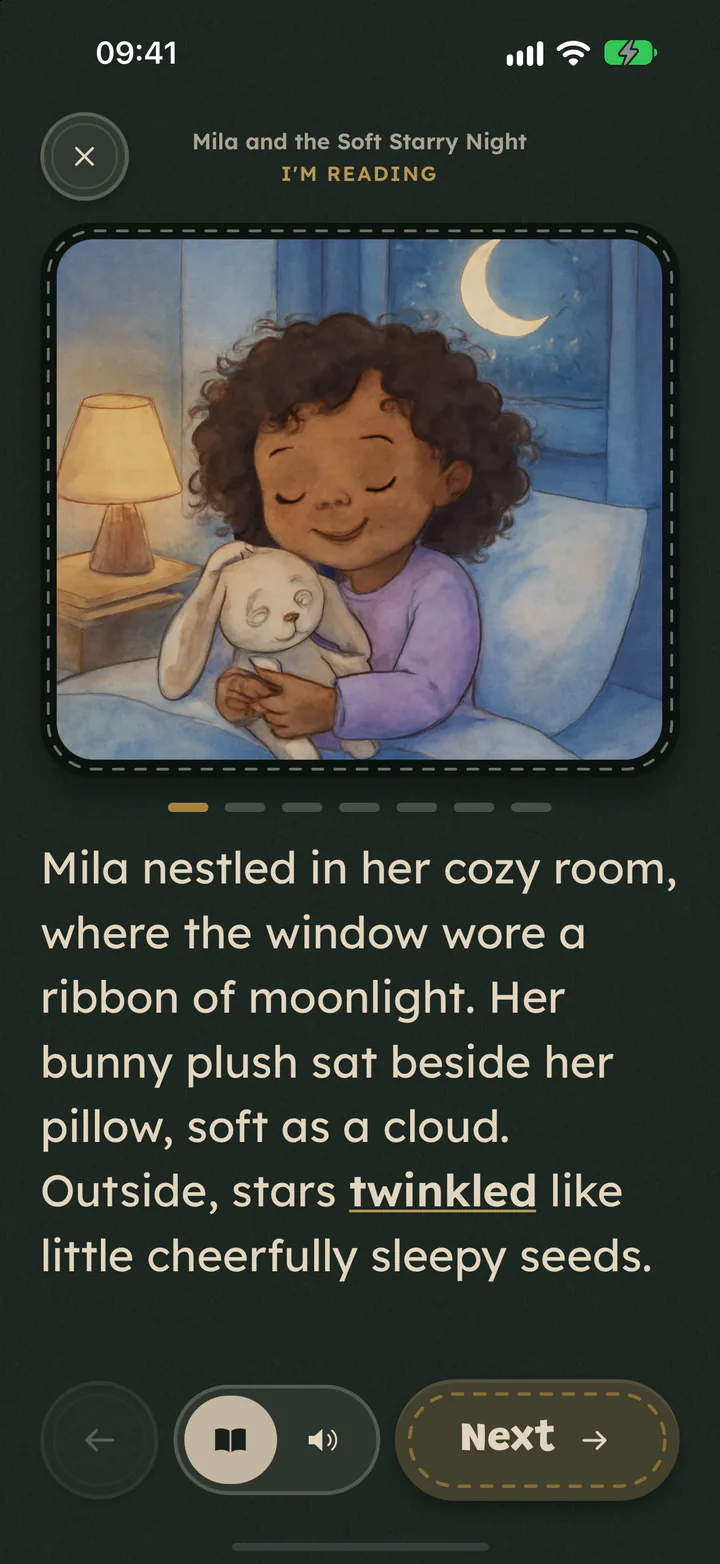 A read page in the app: one picture, the text and one highlighted word.
When the function rejects a story or does not answer, the parent reads the same message, whatever the cause: “Tonight's new story could not be written. Check the connection and try again, or read a ready story.” The app ships with ready-made stories, and none of them is ever presented as tonight's new one.
What code checks after structured output
A strict schema describes the shape of the answer and says nothing about its sense. Our schema also sets maxLength on its strings. OpenAI's guide lists the schema keywords that Structured Outputs supports: for strings they are pattern and format, and maxLength is not among them. The API accepts our schema all the same, so we treat the caps as undocumented behaviour and check these fields in code:
- A word where an emoji belongs. The count page has an
emojifield capped at four characters. In August 2026 the model wrote a word there, and it arrived cut short: “butterfly” as “but”, three letters under a cap of four. We did not record why it stopped a letter early. The prompt now asks for a single pictograph, and when the field holds anything else the page shows a star. - A highlighted word that is not on the page. Each read page highlights one word with a short explanation. The function keeps it only if it appears in the page text exactly as shown.
- A page longer than the app accepts. The app rejects the whole story when a page is longer than 400 characters, after we have paid for the story and it has been counted against the family's allowance. That check is compiled into the build in review. The first prompt asked for 40 to 70 words a page, which do not fit in Turkish or German. It now asks for 35 to 55 words and at most 380 characters, and the function trims a page that still reaches the cap back to its last full sentence.
The rule we took from these fields: state the budget in the prompt, then repair or reject in code. Spoolt, another product of ours, reached it from a length cap of its own: what we moved from the prompt into code there.
The first live runs: one stalled narration call
An AI coding agent working in our repository made the runs on 7 October 2026 and wrote the fixes. It called the deployed function from a Mac with a real session, as the app does, and had no phone to test on. Its four test stories, in the order they were written:
| Run | Story | Answer after | What stalled |
|---|---|---|---|
| 1 | usual length, 7 or 8 pages | 57 s | one narration request, until its own 45 s timeout |
| 2 | usual length, 7 or 8 pages | just over 45 s | one narration request, until the shared deadline |
| 3 | long, 9 pages | 31 s | nothing |
| 4 | short, 5 pages | 19 s | nothing |
In run 1 every call had a timeout of its own, 45 seconds for a clip and 60 for a picture, counted from the moment that call began. The first fix gave all media one deadline, counted from the start of the request.
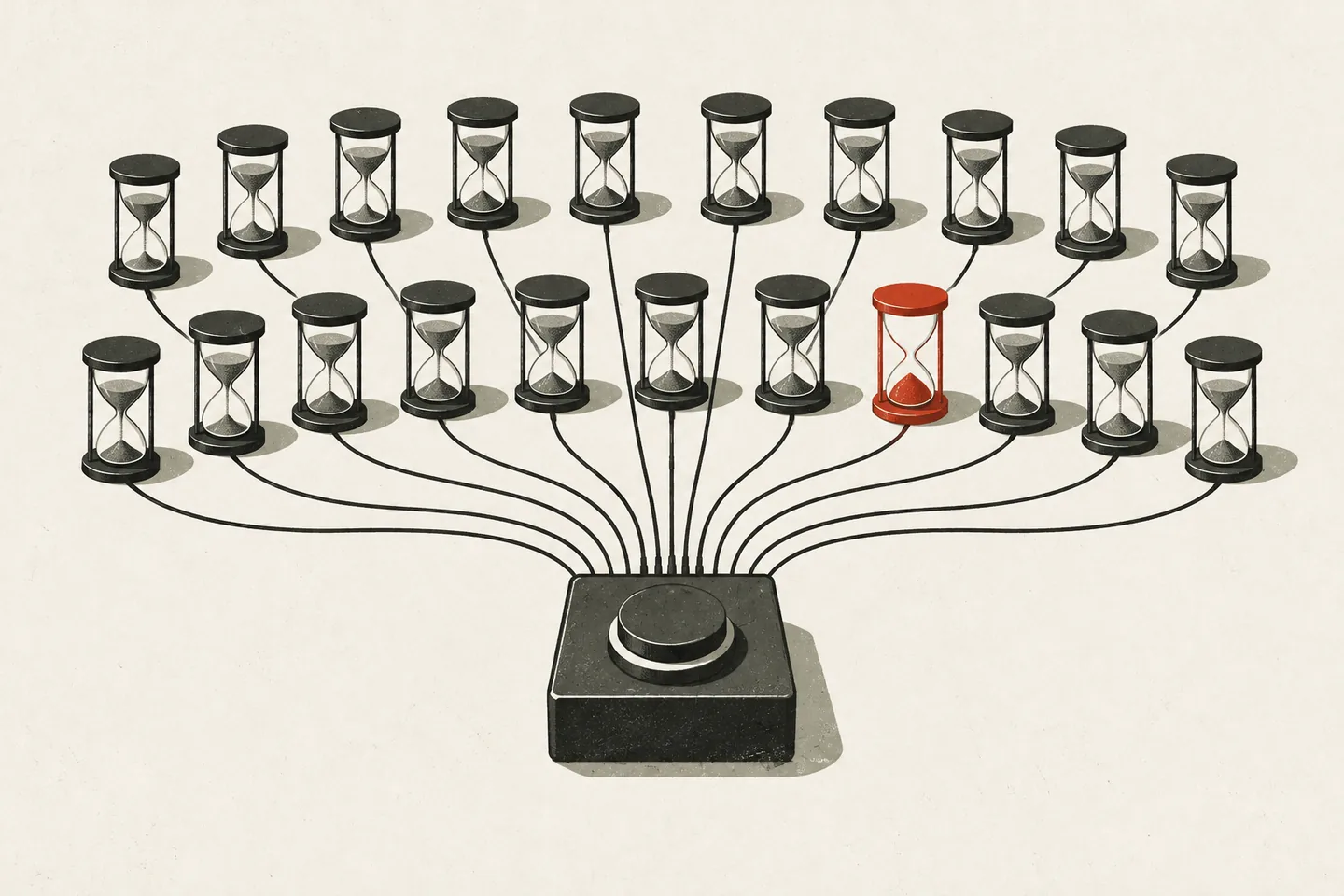 One tap, many calls, each with its own timeout; one has run out.
In run 2 one narration request again never finished. To rule out a rate limit we sent twelve single narration requests at once, and all came back in 3 to 4 seconds, so the stall was occasional. The second fix ends one try at a clip after 20 seconds and makes it once more. No request stalled in runs 3 and 4, so we have not yet seen that second try work against the live API.
The third fix came from reading the first two again. One shared deadline cut pictures at the same moment as clips, although a missing clip can be fetched later and a missing picture cannot.
Deadlines counted from the start of the request
The function now has two deadlines and a limit for one try at a clip. startedAt is taken in the first line of the request handler:
const CLIPS = { by: 45_000, min: 15_000 };
const PICTURES = { by: 50_000, min: 20_000 };
const CLIP_TRY_MS = 20_000;

const until = (limit: { by: number; min: number }) =>
  AbortSignal.timeout(Math.max(limit.min, limit.by - (Date.now() - startedAt)));
by is when the work must be done, counted from the start of the request. min is what it still gets when the writing itself was slow. Narration stops first, because the reading screen can fetch a missing clip later.
Each clip is requested in a loop of at most two tries, shown here without the request details, the try counter and the log line. clipsBy is until(CLIPS), shared by all clips:
for (let attempt = 1; attempt <= 2; attempt++) {
  const tryBy = AbortSignal.timeout(CLIP_TRY_MS);
  try {
    const r = await fetch('https://api.openai.com/v1/audio/speech', {
      // … method, headers and body omitted
      signal: AbortSignal.any([clipsBy, tryBy]),
    });
    if (!r.ok) throw new Error(await r.text());
    // … the clip is stored and its address returned
  } catch (e) {
    // Only a try that ran out of its own time is made again: a refusal would be refused again.
    if (!tryBy.aborted || clipsBy.aborted) break;
  }
}
AbortSignal.any ends the request at whichever comes first, the 20 seconds of the try or the shared deadline.
The iOS request timeout: Apple's default and Expo's fetch
We set the deadlines so that the function answers inside sixty seconds. Apple documents that figure: timeoutIntervalForRequest on a URLSession configuration defaults to 60 seconds, and its timer restarts whenever new data arrives. Our function sends nothing until the whole story is ready.
On 9 October 2026, while this article was being edited, an AI agent traced how the request leaves the app. The app calls the function through supabase-js 2.112 and passes no timeout. In Expo SDK 57, expo/fetch is installed as the global fetch on iOS. In the expo package the app ships (57.0.18), that implementation builds its URLSession from the default configuration and then sets each request's own timeoutInterval to 0.
The agent then timed that combination in the iOS 27 simulator. The test was a small Swift program and did not run the app: it built two requests the way Expo's code does and sent them to a local server that accepts a request and never answers. The request with timeoutInterval left alone failed after 62 seconds with NSURLErrorTimedOut. The request with timeoutInterval set to 0 was still waiting when the test stopped at 150 seconds.
On this evidence, which is the code the app ships and a test in a simulator, sixty seconds was our budget and is not a limit that iOS applies to our request. The next limit we know of is Supabase's: it returns a 504 when an Edge Function has sent no response after 150 seconds.
We are keeping the deadlines, for a reason that does not depend on the phone: in run 1 a story that was ready after 24 seconds was held for another 33 by one clip.
Alternatives we did not take: a client timeout, streaming, answering at once
The three deadline fixes of 7 October 2026 were all made in the function, and none of them touched the app. The app was in App Store review, and one rule we had written down before that round of work was that builds already out keep working: the function's response keeps its shape, one JSON answer that the app validates. A change in the function reaches every build at once. A change in the app needs a new build or an over-the-air update, which has its own way of breaking installed builds.
That rule excluded two changes that would end the long silent wait: sending a sign of life while the story is written (streaming), and answering at once so that the app collects the story when it is done. Both change what the function returns, and we have built neither. A longer timeout in the app would not have helped: the timeout that supabase-js accepts can only end a request earlier.
What we have not measured
We have no timing of a story request from an iPhone. A person tried the next build on a device through TestFlight on 8 October 2026 before it went to review, and no request was timed then. The four runs were made from a Mac, and none reached sixty seconds.
The cases that cannot be produced on demand (a clip that stalls once or for good, stuck pictures, slow writing) were not run live. We ran the function's own file against fake versions of the database and of OpenAI, with every delay scaled down a hundredfold.
One limit is still open: if the writing alone is slow, the answer is late by as much. When a request fails, the app keeps looking for ten minutes for a story the server finished anyway, adds it to the library and tells the parent “Tonight's story has arrived”.
Checklist for one request that fans out into many model calls
- Decide the direction of every failure before writing the code that can fail. Here a missing verdict stops the story; a missing picture or clip does not.
- Read the provider's list of supported schema keywords, then check the fields that matter in code.
- Count deadlines from the start of the request, and give the longer one to whatever cannot be fetched later.
- Retry what timed out, and leave what was refused.
- Find out which timeout your request really runs under: read the networking code you ship, or time a silent request.
- Say what was measured from where, and what was not.