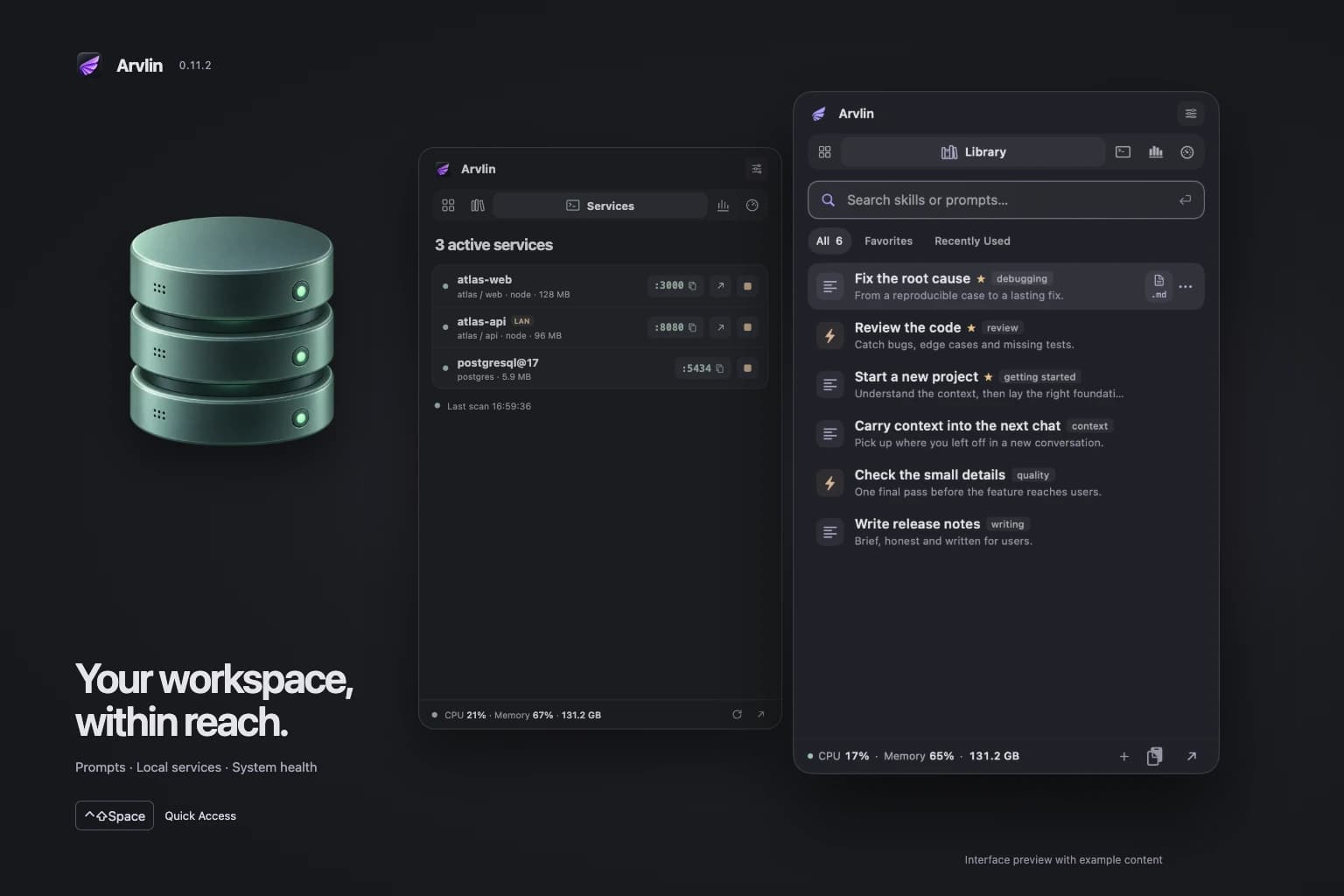
Campaign image based on the product screen.
01 / Developer toolsArvlin collects skills and prompts from the folders you choose, so you can copy one or drag it straight into an AI chat. Projects remember a folder, its context and a Codex or Claude CLI profile. AI Hub reads your Claude Code and Codex usage and estimates the API-equivalent cost for Claude models. Quick Access opens with ⌃⇧Space, from the menu bar or by clicking the origami raven on your desktop. Calm graphite surfaces and five tabs at the top bring together Overview, Library, Services, AI Hub and System Health. A live status line shows CPU, memory and free disk space, and the compact panel adapts to the available screen height.
Services shows which project owns a port, with process, CPU and memory, and starts recent projects in your terminal with one click. Maintenance is four calm tools: Cleanup, Apps, Fix and Disk. Apps uninstalls an app with its leftovers, updates supported apps and manages startup items. Fix covers nine symptoms and offers a one-click tune-up, Run tune-up. Disk maps your disk. Visuals are quieter, and app and leftover sizes count the disk space they really use. Results separate successes, skipped items and partial or failed operations.
Eight cards in the Tools panel take you straight to maintenance, your workspace, sources, backups and settings. The disk map shows file size and allocated disk space separately, and labels unmeasured and partial results. Before cleanup, you review the selected items and the method: move to Trash or delete permanently. The size of successfully processed files is shown separately from free disk space; it is not presented as guaranteed recoverable space. System tasks that can interrupt your work, and local snapshot deletion, require an explicit selection.
Arvlin 0.13.1 runs on macOS 14 or later on Apple Silicon, is Developer ID signed and notarized, and speaks seven languages. There is no account and no telemetry. Downloads, release notes and Pro licenses are on arvlin.com.