We build codebiy.com with AI agents and say so on our studio page. The site runs on Next.js 16 and React 19, in English and Turkish, and its browser checks use Playwright 1.62. An agent finishes a task and reports that lint is clean, the types check and the production build passed. All of it is true, and none of it says how the page renders.
In August 2026, while an agent rebuilt the site, three front-end bugs were written that lint, types and a build cannot see. A script that opens the page in a real browser caught two of them the same day, and none reached the live site. In September a check that covers a fourth bug existed and could not run. We published anyway, and an article page stayed 482 pixels too wide for a phone for about ten days. This is what our checks cover, and what a report has to say about a check that did not run.
Front-end bugs that lint, types and a build cannot see
All three date from 8 August 2026, the day of the rebuild. Each was fixed inside the change that introduced it, so none was ever deployed.
A marquee that ignored reduced motion. The home page had a strip of product screenshots that scrolled sideways. With the system set to reduce motion, it still moved. The stylesheet had a global prefers-reduced-motion rule that shortens animation durations, and that rule did not stop this strip. The fix declares the animation only inside @media (prefers-reduced-motion: no-preference).
An arrow that touch screens never showed. A product card kept an arrow at opacity 0 and showed it on hover. A touch screen has no hover, so there the arrow never appeared. The fix keeps it visible at all times, dimmed, and lets hover change only its colour.
A phone menu zero pixels tall. The mobile menu was a fixed panel meant to fill the screen below the header. The header has a backdrop-filter, and an element with a backdrop filter becomes the containing block for its fixed descendants. The panel's top and bottom were resolved against a 64-pixel header instead of the viewport. It came out zero pixels tall, painted no background, and its links spilled over the page. The first fix rendered the panel into <body>.
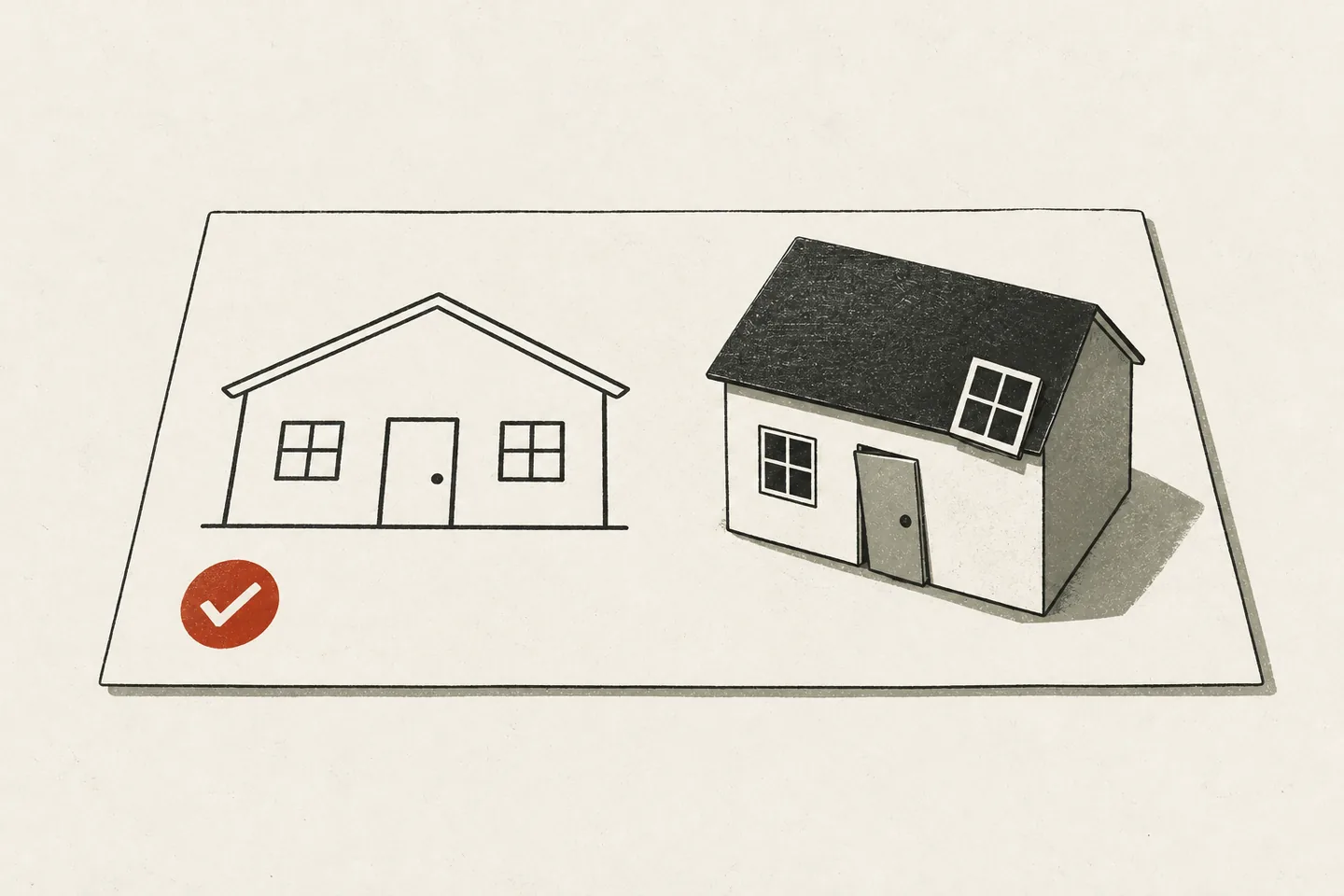 Lint, types and the build passed; the rendered page was still wrong.
The checks described below caught the marquee and the arrow. We did not record how the menu was noticed.
Each of the three is a difference between where the code was checked and where the page runs: another motion setting, another input device, another containing block. The same day brought a failure of the opposite kind, a loud one: every deploy stopped at npm ci, because the image and the laptop ran different npm versions. That story is in our article on npm ci, the lockfile and the Docker image.
The Playwright checks
With the rebuild we added scripts/verify.mjs and wrote one rule at the top of it: every claim we make about layout, motion cost and the Content Security Policy is proved by this script or not made. It starts Chromium through Playwright and points it at a running production build. The overflow check runs at seven widths from 320 to 1280 pixels, in both languages. The script has ten checks, and the thresholds are our own:
| Check | Fails when |
|---|---|
| Horizontal overflow | the page is wider than the viewport at any width |
| Layout shift | CLS is above 0.01 |
| Motion cost | a long task occurs, or a full scroll drops under 55 fps |
| Reduced motion | two screenshots 1.2 s apart differ, or anything sits at opacity 0 |
| Content Security Policy | our own policy blocks a request |
| Routes | a page is not 200, or its lang or hreflang is wrong |
| Section reveals | a section is still hidden after a full scroll |
| Back and forward | sections stay hidden after the back button |
| Consent | the ad library is missing, a signal is not denied by default, or accepting sends no update |
| Cookies | any third-party cookie exists before a decision |
The obvious way to test reduced motion is wrong. Comparing computed styles is not enough: a JavaScript animation library leaves animationName at none while it moves pixels every frame. So the check takes two screenshots and compares their bytes. In the sample, url builds an address, and fail and ok record a result:
const ctx = await browser.newContext({
  viewport: { width: 1280, height: 900 },
  reducedMotion: "reduce",
});
const page = await ctx.newPage();
await page.goto(url("en", "/"), { waitUntil: "networkidle" });
await page.evaluate(() => new Promise((r) => setTimeout(r, 1200)));
const a = await page.screenshot();
await page.evaluate(() => new Promise((r) => setTimeout(r, 1200)));
const b = await page.screenshot();
if (!a.equals(b))
  fail(
    "reduced-motion",
    `page still animating (${a.length} vs ${b.length} bytes)`,
  );
else ok("reduced-motion (pixel-identical)");
A byte-for-byte comparison only works if nothing else changes between the two screenshots. Here the page has reached network idle and waited another 1.2 seconds before the first one. page.screenshot() leaves animations untouched by default, which is why a moving strip shows up as a difference, and it hides the text caret, so a blinking cursor would not.
That comparison caught the marquee. The next lines of the same check look for any element that is laid out and rendered at opacity 0, and they caught the arrow.
The script exits non-zero if anything failed and writes a report. In September 2026 we added scripts of the same kind, among them a sweep of seven widths in Chromium and WebKit. None of them runs by itself: the repository has no CI, and the deploy runs no check. Each runs only when we, or the agent on the task, start it against a production build, and not every push has had such a run. The ten checks in the table last left a report on 8 August 2026.
A lessons file for corrections
The script checks only what somebody thought of. The rest arrives as corrections from the person reviewing the work, and a correction given in a chat is gone when the session ends.
So each correction is written into tasks/lessons.md as a dated rule, and the next session is told to read that file before anything else. Its first entry is from 10 September 2026. Two entries, shortened:
- 10 September. A successful build does not establish that the intended typography or composition renders. Inspect the font family that actually loaded, the mobile layout and screenshots before calling a redesign ready.
- 20 September. Desktop and phone widths do not establish that a tablet works. Check 768, 820, 1024 and 1180 pixels in both languages.
The first came from a page. On 10 September the site's fonts had been replaced and the build passed. In the browser the page was set in a default serif face, because the generated font variables were stale; nothing raised an error, and the person reviewing rejected the design.
That rule now exists as an assertion as well: a second script opens each route on its list in both languages at four widths, waits for document.fonts.ready and fails unless the body's computed font-family contains Instrument, the site's typeface.
Reports that say what was not checked
An agent's summary reads equally confident whether a check ran or not. Since September our reports close with a section that separates the two. This is its heading and one of its four lines from the redesign round of 10 September 2026, translated from Turkish:
This round's evidence and its limits
- Chromium was blocked inside the sandbox by the macOS MachPortRendezvous permission. A request for a visual test outside the sandbox is pending; there is no successful desktop or mobile browser result for this round yet. The updated verify scripts do not count as evidence of visual verification until they have been run.
The lines around it list what passed, with counts, and what had not been done: no real email sent, nothing of that round committed or deployed yet.
One of the scripts that could not run asserts that no page is wider than a 320-pixel screen, on every route, articles included. That night's redesign contained an article layout in which long code lines pushed the page 482 pixels past that width. It had been pushed earlier the same night, after a round whose report said the same about the browser run. In that round we had looked at the home page and the product archive in a desktop browser by hand. The person reviewing had asked for the checks to be finished quickly and authorized the commit and the push; the agent did not publish on its own.
The article stayed that wide on the live site until 20 September. That day the person reviewing reported a product selector that broke at tablet width, and we ran the first sweep of every page family at seven widths in Chromium and WebKit. It found the selector, with one product name 28 pixels outside its button at 768 pixels, and it found the article. After the fixes, 680 checks passed.
The report had been accurate about the check that did not run, and we published without acting on it.
What the checks cannot tell us
When they run, the scripts show that the layout fits and that motion, content policy and consent behave. They do not show that a page is good.
No overflow, and still broken. On 13 September a page had no overflow at 320 pixels, so the check was green, and its screenshots showed service labels breaking in the middle of a word. On 9 October the table of checks in the Turkish version of this article split its words the same way on a phone. The cause was the fix for the 482-pixel overflow, overflow-wrap: anywhere on the article body.
The menu. None of the ten checks opens the phone menu. A later script does: it tests that the menu opens, closes on Escape, returns focus to its button and follows a link. It never measures the panel's height. What protects the menu now is how it is built. Since September it is a <dialog> opened with showModal(), which the browser displays in the top layer, and its height is set in viewport units instead of top and bottom.
An address nobody requested. The August rebuild gave the site a generated image for link previews. On 9 October 2026 we requested its address on the live site and got a 502: the image renderer cannot read the variable font file it was given. Neither the font nor the way the route loads it had changed since August, so it had been failing for two months. A fixed-weight copy of the font repaired it. No script requests that address.
That is the division of labour we mean when the studio page says “AI brings the speed; direction and the final check stay with us”. In practice the final check is a person opening the page, on a phone too.
A checklist for agent-written front-end work
- Check what the visitor gets: a production build in a real browser at real widths, not the diff.
- Make every check able to fail. Compare screenshots byte for byte, exit non-zero, name the element.
- Test states, not only pages: reduced motion, touch, hover and focus, back and forward, before and after consent.
- Request every address a page announces: the share image, the icons, the feed.
- Turn each correction into a dated rule the next session reads, and each rule that can be asserted into an assertion.
- End every report with what was not checked, and do not publish on a check that did not run.